


Mandala Color by Number Book
4.91.05K Reviews
App Specs
- Version
- 2.1.7
- Updated On
- License
- Free
- Downloads
- 1,000,000+
- Developer
- LoveColoring Game
- Categories
- Board
- Platform
- Android, iOS
Screenshots
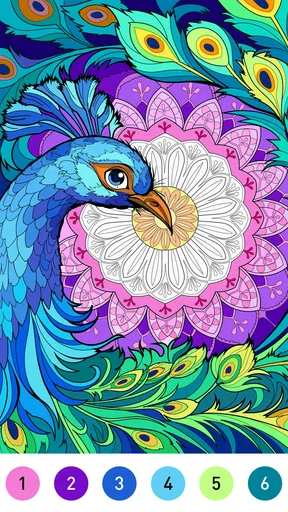
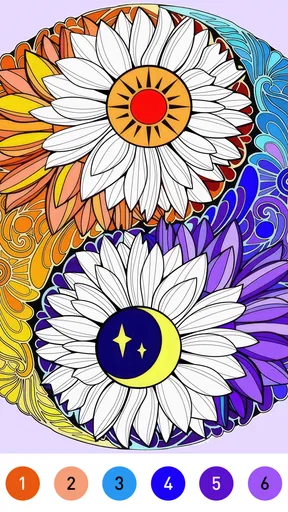
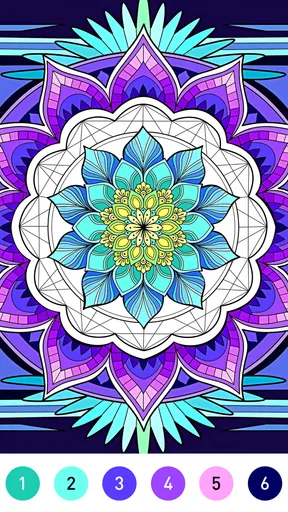
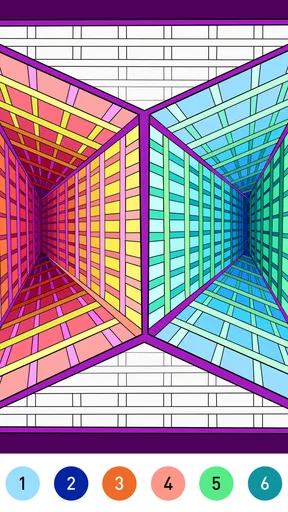
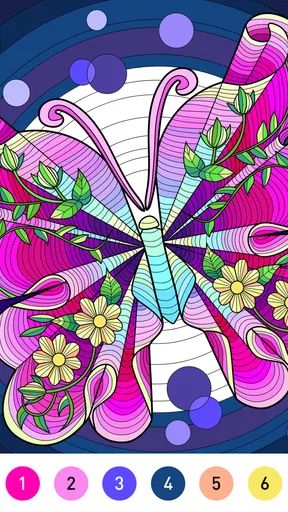
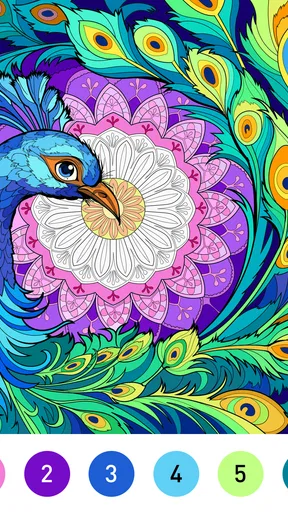
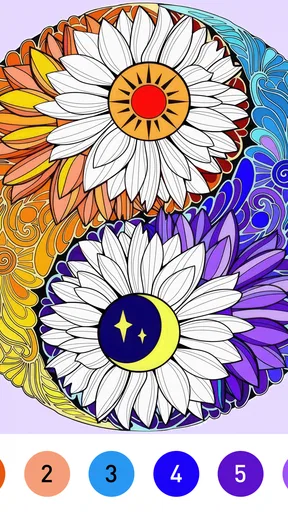
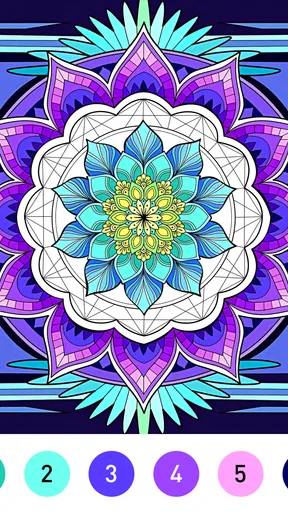
 Analysis by AppCompare
When I want a quiet activity that asks for a little attention but no artistic planning, a numbered mandala is an easy place to begin. I pick a pattern, tap the matching numbered areas, and watch the design fill in; the small, steady changes are the appeal. Mandala Color by Number Book is best understood as a relaxing board-style coloring game, not a drawing tool or a test of artistic skill. Its simple loop makes it a handy choice for a short pause, though it won’t suit everyone looking for a more hands-on creative experience.
A small, deliberate first step
The first useful choice is the design, not the color. I’d start with a pattern that looks readable at a glance rather than choosing the most intricate one immediately. That lets me learn the tap-to-fill rhythm without turning a quick break into a hunt for tiny spaces. Once the basic action feels familiar, a denser mandala can make a longer session more absorbing.
This is also a good fit for moments when I don’t want to set up anything: there’s no paper to find or supplies to put away. If I’m waiting for an appointment or taking a breather between chores, I can open a design and make a little progress. The trade-off is that the app’s structured coloring leaves less room for improvisation than a blank canvas or a physical coloring book.
What the taps give back
Each tap gives immediate visual feedback: a numbered section takes its assigned color, and the mandala becomes more complete. I find that clear cause and effect satisfying because I don’t need to guess whether a brush stroke landed in the right place. The highlight tool is especially useful around small sections; rather than repeatedly zooming in and scanning every edge, I can use it to bring attention to overlooked areas.
That convenience doesn’t make every pattern equally effortless. Intricate designs can slow the pace, and filling small spaces may feel fiddly when I’m using the app in a hurry. My practical tip is to treat a complicated picture as something to return to, not as a challenge to finish in one sitting. The calmer rhythm is part of the point, and rushing can turn it into repetitive tapping.
Progress, completion and a reason to return
As the blank spaces shrink, the image gains contrast and detail, giving each completed area a small sense of progress. Finishing a mandala offers a natural stopping point, and being able to save the result as an image or share it gives that finish a use beyond the screen. I’d share one when I want to show a friend something I’ve completed, but the feature is optional; the game can be enjoyed without turning every picture into a post.
The next session makes most sense when I want another contained, low-pressure task. I can choose a different pattern or continue with coloring rather than needing to learn a new control scheme. That predictable reset is a strength for casual play, but it also describes the main limitation: if I want evolving strategy, a competitive board game, or freedom to choose every color and draw every mark, I’d pick something else.
Worth Reading Before You Choose

EA SPORTS FC Mobile 26 Is a Bigger Football Game, but It Takes Time

Flipboard Shows What News Apps Must Do Beyond the Feed

Switching to Android Auto Means Rethinking Your Driving Routine

Google Calendar Makes a Crowded Week Easier to Manage

Ludo King Makes the Most of the Minutes Between Plans

Baby Panda World Brings Quick Play to Modern Phones, but Its Game Library Feels Busy
Getting Started with Mandala Magic
As soon as I opened the Mandala Color by Number Book app, I was greeted by a user-friendly interface that's both inviting and easy to navigate. You don't need to be tech-savvy to get started. I simply chose a mandala design from a vast library, and I was ready to dive into a world of colors.
The app provides a wide range of designs, from simple to intricate patterns, ensuring there’s something for everyone. I particularly love how the designs cater to both beginners and experienced colorists. What’s more, the app is constantly updated with new designs, so I never run out of options.
How It Works
Coloring in this app is as straightforward as it gets. Each mandala is divided into sections, and each section has a number that corresponds to a color. All I had to do was tap on a number, and the app would automatically select the right color for me. It’s like a paint-by-numbers, but digital and way more fun!
One of my favorite features is the highlight tool, which makes it super easy to spot the tiny, overlooked sections of the mandala that need coloring. This means I can achieve a perfect finish every time without missing a spot.
The Joy of Coloring
There’s something incredibly satisfying about watching a mandala come to life with each tap. Whether I’m on a quick coffee break or unwinding after a busy day, the app offers a moment of tranquility. The vibrant color palette is a feast for the eyes, and I find myself getting lost in the intricate patterns.
Best of all, coloring mandalas is known to be a meditative activity. I genuinely feel more relaxed and focused after spending time with this app. It’s like a mini-vacation for my mind!
Sharing Your Masterpiece
Once I finish a mandala, the app lets me save my work as an image on my phone or share it directly to social media. I’ve shared a few of my creations with friends, and it’s a great way to connect and even get a little competitive. Who can create the most stunning mandala?
The sharing feature is seamless, making it easy to show off my colorful creations. Plus, it’s a wonderful way to inspire my friends to join in the fun.
Who Will Enjoy the Routine
LoveColoring Game makes this free-to-start board game for a broad audience: it carries an Everyone age rating, has a 4.7 average from around 17 thousand ratings, and has passed over a million installs. It was released on December 8, 2023, and version 2.1.0 lists Android 7.0 as its minimum operating system. Those details make it approachable for many Android users, while the numbered format itself is easy to understand without prior coloring experience.
I’d recommend it most to someone who likes seeing a picture develop in small, orderly steps. It can work for a short evening wind-down, a quiet moment between errands, or a low-effort activity while a conversation or familiar show is on. If you want a game with decisions, opponents, or a changing puzzle to solve, though, this one is unlikely to hold your attention in the same way. Its reward comes from filling the image, not mastering a strategy.
Making a session fit the moment
For a realistic everyday use, imagine having a few minutes before dinner while something is already cooking. I’d open a simpler design, color a handful of sections, and stop when I’m ready to get back to the kitchen. That is a better match than beginning a detailed pattern when I know I’ll be interrupted. The app’s appeal is strongest when I let the session remain small and self-contained.
For longer stretches, I’d choose a more detailed design and work through it at a comfortable pace. If my attention starts drifting, I’d pause rather than tapping just to clear the remaining spaces. That little distinction matters: the numbered process can be soothing when I’m engaged, but monotonous if I’m trying to force myself to finish. The design’s complexity changes the feel of the session even though the basic action stays the same.
Choosing it over other coloring options
Compared with a physical coloring book, this is cleaner and more convenient: I don’t need pencils, a flat surface, or room to spread out. The numbers also remove the decision of which color belongs in each section, so it’s easier to begin when I want a guided activity. A traditional book is the better choice if I enjoy choosing my own palette, mixing colors, or making marks that don’t have to stay inside a predefined pattern.
Compared with freehand drawing apps, the game asks for much less planning and technique, but that simplicity comes with less creative control. And against other casual board games, it offers a quieter, solo-oriented routine rather than turns, competition, or tactical choices. I’d choose it for gentle repetition and visible completion; I’d choose a drawing app or a more interactive game when I want expression or challenge.
Comfort, access and small trade-offs
The controls are simple enough that I can hand the phone to someone who has never played a coloring game and explain the numbered sections quickly. The Everyone rating also makes its general audience clear, although a parent should still decide whether screen-based play suits a particular child. For adults, the same simplicity is useful when I’m tired and don’t want to learn a complicated interface before relaxing.
The app is free to download, with optional in-app purchases listed from $0.99 to $49.99 per item. I’d approach those purchases as optional rather than assuming they are necessary to enjoy the core coloring loop. If I’m considering spending, I’d first see how much I enjoy the available experience and whether I actually want whatever an offered purchase adds. That keeps a casual pastime from becoming an impulse buy.
One practical question is whether it works for a very brief break: yes, a simple pattern can make that easy, while a detailed one is better saved for when I have more patience. Another is whether I need drawing skills: no, the numbered sections guide the coloring, though that also means this isn’t a substitute for freehand art. And if I prefer physical materials, self-directed coloring, or competitive play, the alternatives are a better match.
Why You Should Try It
If you’re looking for a simple yet engaging way to unwind, the Mandala Color by Number Book app is a must-try. It brings the joy of coloring to your fingertips, offering a creative escape without the mess of traditional coloring books.
Whether you’re a coloring enthusiast or just someone looking for a new hobby, this app provides endless entertainment. It’s like a cozy retreat in the palm of your hand, and I highly recommend giving it a go. Who knew an app could bring so much peace and joy?
Pros
- Easy-to-use interface for all ages.
- Extensive library of mandalas to choose from.
- Offline mode available for uninterrupted coloring.
- Regular updates with new patterns.
- Supports sharing completed artwork on social media.
Cons
- Contains ads that may interrupt coloring.
- Limited color palette without premium.
- In-app purchases can be pricey.
- No option for custom mandala creation.
- Battery drain can occur during extended use.
FAQs for Mandala Color by Number Book
What is Mandala Color by Number Book?
Mandala Color by Number Book is a digital coloring app that allows users to relax and unwind while coloring intricate mandala designs. The app offers a wide range of patterns, each with numbered sections that guide users in selecting colors. It’s a perfect choice for those who enjoy creative activities and stress relief.
How does the coloring process work in this app?
The app provides mandala designs with each section numbered. Users select colors that correspond to each number, ensuring a beautiful and cohesive finished piece. This guided approach makes it easy for anyone to create stunning artwork without needing advanced coloring skills, fostering creativity and relaxation.
Is Mandala Color by Number Book suitable for all ages?
Yes, the app is designed to be user-friendly for all ages. Its straightforward interface and intuitive coloring system make it accessible to both children and adults. However, younger children might need some guidance initially to understand the number-color matching system effectively.
Are there any in-app purchases?
While Mandala Color by Number Book offers a variety of free designs, it also includes premium content available for purchase. These may include exclusive mandala designs or special color palettes. Users can enjoy a rich experience without purchasing, but additional content can enhance their creative options.
Does the app require an internet connection?
An internet connection is not necessary for coloring activities, allowing users to enjoy the app anytime, anywhere. However, downloading new mandala designs or accessing premium content may require an internet connection. This offline capability makes it convenient for use during travel or in areas with limited connectivity.


